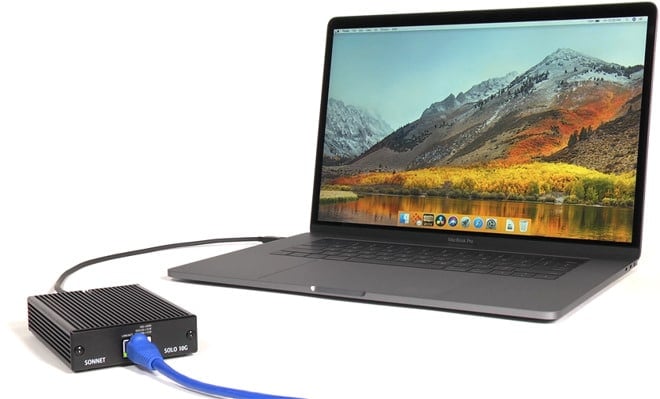
Want the iMac Pro’s 10G Network Speeds on your Mac?
Jealous of the iMac Pro's 10G network speeds or working with large audio, video or image files? We can supercharge your Mac's network speed with a new Thunderbolt 3 10G network accessory.
What do I need to get 10G network speeds on my Mac?
- Mac with Thunderbolt 3 port
- macOS 10.13.4 or later
- Cat 6 or 6A (recommended) cabling
- Networking devices that support 10G networking
The new accessory is power via the Thunderbolt 3 port and does not need a bulky power brick and can be used either directly connected to your Thunderbolt 3 port or at the end of a daisy chain.
Highest speed when used on a Cat 6 or Cat 6A cable at distances of up to 55 meters (180 feet) and 100 meters (328 feet) respectively, and with suitable switches and routers. It is also able to run at slower speeds such as 5Gbps and 2.5Gbps, if used over cheaper existing CAT 5e networks or at longer distances.
High Performance Wireless & Wired Network Solutions
Your Mac Tech can help speed up your network
Share
- Share on Bluesky (Opens in new window) Bluesky
- Share on LinkedIn (Opens in new window) LinkedIn
- Share on X (Opens in new window) X
- Share on Facebook (Opens in new window) Facebook
- Share on Reddit (Opens in new window) Reddit
- Share on Threads (Opens in new window) Threads
- Share on Mastodon (Opens in new window) Mastodon
- Share on Pinterest (Opens in new window) Pinterest
- Share on WhatsApp (Opens in new window) WhatsApp
- Share on Tumblr (Opens in new window) Tumblr
- Email a link to a friend (Opens in new window) Email
- Print (Opens in new window) Print
