
Apple Announces iOS 12, macOS Mojave, tvOS 12 and watchOS 5 at WWDC 2018
WWDC 2018 recap: iOS 12, macOS Mojave with Dark Mode, tvOS 12 and watchOS 5 announced, plus which older Macs Mojave leaves behind.
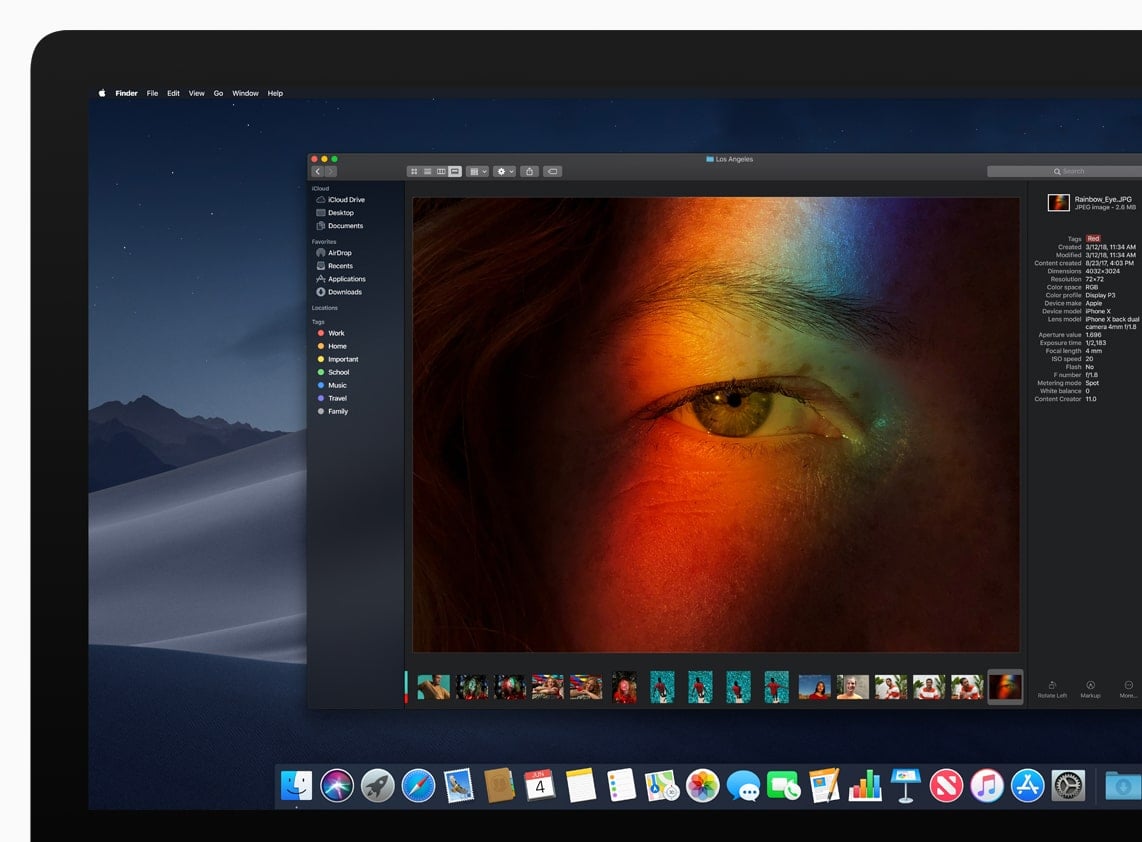
Apple kicked off its Worldwide Developer Conference today with a keynote covering the next versions of iOS, macOS, tvOS and watchOS. It was a software-focused year without major new hardware, but there’s plenty here worth knowing about if you use an iPhone, iPad, Mac, Apple Watch or Apple TV.
iOS 12: faster for every supported iPhone
Apple is putting performance front and centre with iOS 12, promising speed improvements all the way back to the iPhone 5s. That’s a five-year-old phone still getting a real, noticeable boost, which is good news if you’re not planning to upgrade this year.
Beyond speed, iOS 12 brings Group FaceTime, so you can video call with multiple people at once instead of just one-on-one. Siri Shortcuts lets third-party apps hook into Siri for the first time, so you’ll start seeing apps suggest their own voice shortcuts.
Memoji arrive too, letting you build a personalised animated character that mirrors your expressions, including winks and tongue detection. And Screen Time is new in iOS 12 as well, giving parents (and anyone curious about their own habits) detailed reports on app usage and the ability to set real limits, not just guesswork.
A few smaller but handy additions: Photos gets a new “For You” tab with better sharing suggestions, Apple Books has been redesigned and renamed from iBooks, and CarPlay now supports third-party navigation apps including Google Maps and Waze.
macOS Mojave: the one that brought Dark Mode
The Mac gets its own major update with macOS Mojave, and the headline feature is Dark Mode, a full dark colour scheme across the desktop, Dock, menu bar and Apple’s own apps like Mail, Messages, Calendar and Photos. Mojave also introduces Dynamic Desktop, which automatically shifts your desktop picture to match the time of day.
If your desktop is a mess of files, Stacks will be welcome: it automatically groups everything into neat piles by file type, date or tag. Finder also gains a new Gallery View for browsing files visually, with details such as the file type and date shown alongside.
Mojave also brings News, Stocks, Voice Memos and Home to the Mac for the first time. Apple said iOS and macOS would remain separate, but users can expect more ideas to move between them.
Group FaceTime also works on the Mac, alongside Continuity Camera, a new feature that lets you snap a photo or scan a document on your iPhone or iPad and have it appear instantly in a document on your Mac.
One thing worth checking before you get excited about any of this: Mojave drops support for a number of older Macs. You’ll need at least a MacBook from early 2015, or a supported MacBook Air, MacBook Pro, Mac mini or iMac from mid or late 2012. A late-2013 Mac Pro is supported, as are some 2010 and 2012 Mac Pro models with a graphics card that supports Apple’s Metal technology. If you’re on an older Mac, it’s worth checking your model before planning on the upgrade.
tvOS 12 and watchOS 5
Apple TV 4K is now certified for both Dolby Vision and Dolby Atmos, making it one of the only streaming boxes around with both. There’s also a new aerial screensaver option featuring shots of Earth from space.
watchOS 5 introduces Walkie-Talkie, a quick push-to-talk way to send voice messages between Apple Watches over Wi-Fi or mobile. There are new multi-day Activity Competitions to compete with friends and family, auto workout detection, and Apple Watch can now play podcasts directly as well. The original first-generation Apple Watch will not support watchOS 5, but Apple Watch Series 1 will.
What’s next
Apple plans to release iOS 12 and macOS Mojave later in 2018.
We’ll have more detailed how-tos on the standout features, Dark Mode, Screen Time and Siri Shortcuts especially, once the public betas land and we’ve had a proper chance to put them through their paces.


